# User interface overview
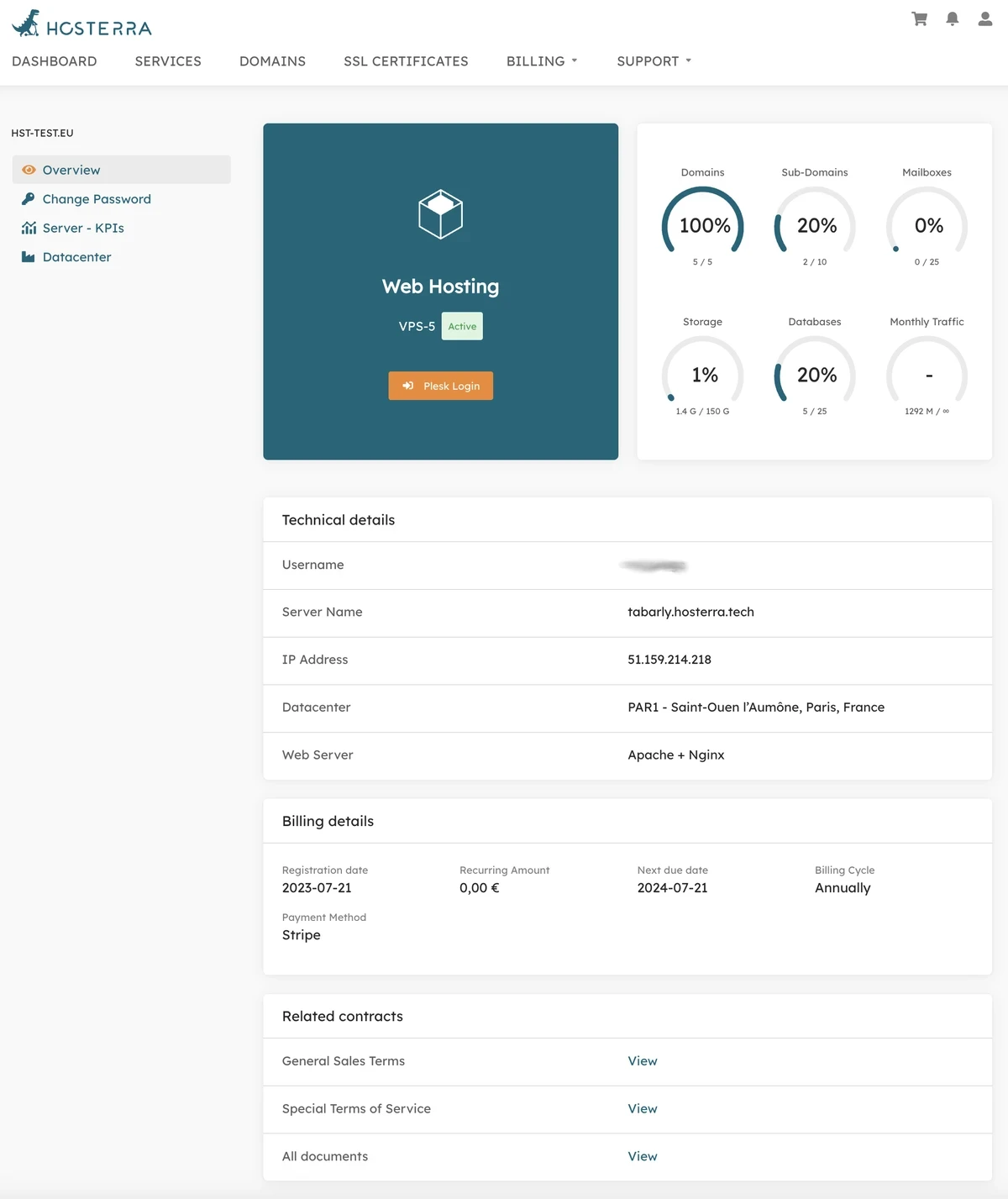
From the Hosterra dashboard, you can access the details of your Web Hosting service(s). These details are presented as follows:
[](https://hosterra.help/uploads/images/gallery/2023-10/pGpDtABVdyJFXn0e-webhosting-overview-en.webp)
### Left side menu
This menu gives you access to secondary details page to:
- change your server password;
- access environmental monitoring of the server;
- get details about the datacenter where the server is located.
### Plesk access box
With the orange button, you can automatically log-in to your server, thanks to SSO.
### Consumption box
Gives details about main consumption indicators.
Note these consumptions are refreshed once per hour.
### Technical details
All the technical information you need to know about your server.
### Billing details
A quick overview about prices and billing cycle of your server.
### Related contracts
The contracts you signed when you subscribed to this offer.
Note the given link take you to the exact contracts you signed as they were at the time of signing, and therefore as they apply in your case, for this server.